


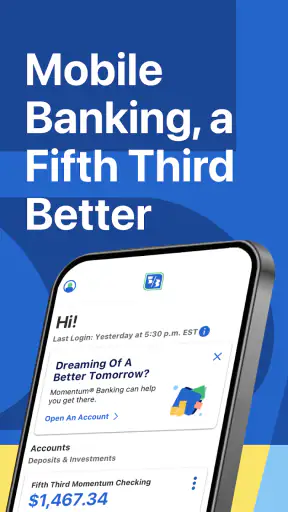
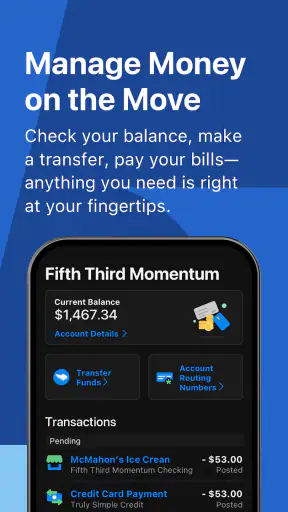
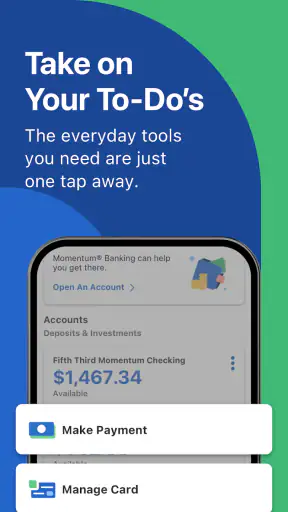
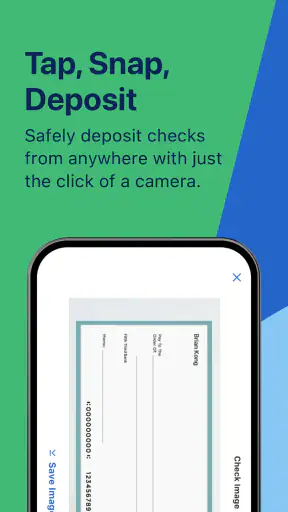

Managing a bank account from a phone sounds simple until you need to check a balance quickly, move money, or confirm whether a payment has gone through while you are away from a branch. Fifth Third: 53 Mobile Banking is built for that everyday situation. It is a free finance app from Fifth Third Bank that puts mobile access to your banking relationship in one place, with the practical appeal of being available whenever your phone is on.
I see it as a convenience tool rather than a complete replacement for every banking interaction. Its strongest value is reducing small trips, calls, and waits for routine account tasks. If you already bank with Fifth Third, that convenience can be meaningful. If you do not, the app is not a reason by itself to change banks, because its usefulness depends on having an eligible relationship with the developer.
What the app is and what you get for free
Fifth Third: 53 Mobile Banking belongs to the personal finance and banking category, and Fifth Third Bank is the developer behind it. The app is free to download, so there is no purchase price standing between an existing customer and mobile access. That is the clearest part of its value proposition: you are paying nothing for the app itself, while gaining a more immediate way to interact with your bank.
That distinction matters. Free access to a banking app does not mean every banking service, account, transfer, or transaction is automatically free. The app is a doorway to Fifth Third services, not a promise that the underlying account relationship has no fees or conditions. I would therefore judge the app as free software, while checking the terms of the specific Fifth Third account or service before assuming that every action costs nothing.
The app is rated for Everyone, which makes sense for a mainstream banking tool, although the financial responsibility remains with the account holder. It has been available since November 16, 2011, and the current version is 5.26.0. Support begins with operating system version 9, giving it a broad compatibility range for people using older supported devices.
Its adoption also suggests that mobile banking is not an experimental side project for the bank. It has more than a million installs, an average rating of 4.7, and roughly 217 thousand ratings. Those figures do not guarantee that every customer will have the same experience, but they do show that the app has reached a substantial audience and that the overall response is strongly positive.
How I would use it during a normal week
My most realistic use would be a quick check before paying a bill. I would open the app, confirm the available balance, review recent activity, and then decide whether the payment should go ahead. That is more useful than it sounds: seeing a recent debit or deposit in context can prevent a mistaken assumption about how much money is available.
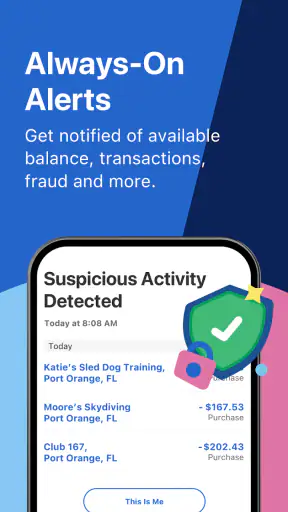
Another practical moment is traveling. Rather than waiting until I return to a computer, I could check activity after using a card, notice an unfamiliar transaction sooner, and keep an eye on the account while moving between places. The value is not excitement; it is reducing the delay between something happening and me noticing it.
I would also use mobile access when a branch is closed or inconvenient to reach. A bank’s physical schedule does not always match real life, especially when a question appears in the evening or during a weekend. That is where the app’s central promise becomes useful: ordinary account access is available through the device I already carry.
Where the free value is strongest
The strongest benefit is the combination of immediacy and repetition. Banking tasks are often small but frequent. Checking whether a paycheck arrived, reviewing a purchase, or confirming that a balance is safe before a transfer may take only a moment, but repeating those tasks through a desktop browser or phone call creates friction.
For a Fifth Third customer who prefers self-service, the app can make the relationship feel more accessible. I would especially recommend it to someone who wants to monitor money regularly rather than only opening a statement at the end of the month. Frequent visibility can make budgeting more practical because decisions are based on recent activity instead of memory.
There is also a useful psychological advantage to keeping account information close at hand. When I can check the account immediately, I am less likely to postpone a simple question and forget it. That does not replace a proper budget, but it can support better habits: review, decide, and move on instead of wondering what happened to the balance.
Tradeoffs that matter before relying on it
The first limitation is fundamental: this is a bank-specific app. It is not a general-purpose wallet or an independent budgeting service that can serve anyone. If your accounts are elsewhere, the app will not become useful merely because it is free. For a person comparing banks, I would evaluate Fifth Third’s account options, service coverage, and terms separately rather than treating the app as the deciding factor.
The second tradeoff is that convenience can encourage overchecking without improving financial decisions. Opening a balance screen repeatedly is not the same as understanding upcoming obligations. I would pair the app with a simple list of scheduled payments and expected income. Used that way, mobile access supports planning; used alone, it can turn into reactive checking after money has already moved.
Security is another reason to stay deliberate. A banking app gives faster access to sensitive financial information, so I would avoid using it casually on an unfamiliar device or leaving an active session available to someone else. I would also review activity carefully rather than assuming that a familiar-looking transaction is correct. Speed is valuable only when paired with attention.
There can also be moments when a mobile screen is the wrong tool. A complicated account question, a disputed transaction, or a situation requiring detailed explanation may be easier to resolve through a direct conversation with the bank. I would not expect an app to remove the need for customer support or branch service. Its role is best understood as handling routine access and helping me arrive at a support conversation better informed.
Another practical tradeoff is dependence on the phone itself. If the battery is empty, the device is lost, or access to the operating system is interrupted, the convenience disappears temporarily. That is not a special flaw of this app, but it is worth remembering before treating mobile banking as the only way to manage an account. Keeping essential account and support information available through another trusted method is sensible.
Comparing it with usual alternatives
Compared with visiting a branch, the app is faster for routine checks and more convenient outside branch hours. A branch remains better when I need face-to-face help, have a complicated request, or feel more comfortable discussing money with a person. The choice is not really either-or: the app handles the quick tasks, while branch staff can handle situations that need context.
Compared with telephone banking, mobile access gives me a visual record to inspect rather than requiring me to listen through prompts or explain every step. Phone support can still be preferable when I cannot navigate the app, when an issue is urgent, or when I need clarification from a representative. I see the app as reducing calls for simple matters, not eliminating them.
Compared with a bank’s desktop website, a mobile app is more convenient when I am away from a computer. A larger screen can be more comfortable for reviewing a long history or organizing detailed financial information, while the phone is better for a quick glance. I would choose the app for immediacy and a browser for tasks where more space makes careful review easier.
Compared with an independent budgeting app, Fifth Third: 53 Mobile Banking has a different purpose. A budgeting specialist may be better for broad household planning across several institutions, while this app is the natural choice for direct access to Fifth Third banking. If most of your financial life is spread across multiple banks, an independent tool may give you a wider overview, but it would not replace the value of checking the source account directly.
Three habits that make the app more useful
First, I would make account review part of an existing routine instead of opening the app randomly. Checking after a regular income deposit or before a cluster of automatic payments creates a clear reason for the visit. This turns mobile access into a small control point in the week and makes unusual activity easier to spot.
Second, I would separate “what is in the account now?” from “what can I safely spend?” Those questions are not always identical because pending or upcoming obligations may change the practical answer. The app can help me see recent activity, but the responsible decision still requires remembering bills and commitments that have not yet appeared in the balance.
Third, I would use the app as an early-warning habit. If a transaction looks unfamiliar, I would investigate while the details are fresh rather than waiting for a monthly statement. That does not mean assuming fraud immediately; it means treating timely review as a way to reduce confusion and make any later conversation with Fifth Third more precise.
Who will get the most value
This app makes the most sense for existing Fifth Third customers who want convenient access to everyday banking from a phone. It is particularly suitable for people who check balances often, travel between home and work, dislike waiting for branch hours, or want to review activity soon after a purchase or deposit.
It can also suit someone who is moving from occasional desktop banking to a more regular routine. The free download removes a financial barrier, and the broad device compatibility may help people who are not using the newest phone. I would still keep expectations practical: the app improves access, but it does not automatically teach budgeting or solve an account problem that requires human assistance.
I would be more cautious about recommending it to someone who wants one dashboard for accounts at many institutions, advanced household budgeting, or a banking relationship independent of Fifth Third. In those cases, a broader financial tool or another bank’s mobile experience may be a better fit. The right question is not whether this app is good in isolation, but whether Fifth Third is where you already manage your money.
My final decision on its value
For a Fifth Third customer, I consider Fifth Third: 53 Mobile Banking a worthwhile free companion to the bank account. Its value comes from removing everyday friction: checking activity when it matters, staying informed outside branch hours, and handling routine account access without sitting at a computer. The high average rating and large user base reinforce my view that it is a mature, widely used option rather than a niche experiment.
I would not choose a bank solely because its app is free, and I would not mistake mobile convenience for complete financial management. Account terms, support needs, and the way you handle money still matter more. But once Fifth Third is your bank, there is little reason to avoid the app if you want direct access from your phone.
My recommendation is simple: use it for fast awareness and routine control, while keeping a separate plan for budgeting and a human support route for complicated issues. That balance captures what the app does well without asking it to be something it is not. For the right customer, free mobile access is a practical benefit that can pay off through saved time and better awareness every week.


